74% of global AEC organizations have fully migrated to BIM software and workflows. If you are one of the contractors using traditional 2D CAD files like a vintage vinyl collection, it is time to upgrade! That’s not just about adapting to the new trend, but also about saving your total budget.
Choosing BIM programs for your construction projects can save 15-20% of profit that is wasted by uncoordinated rework and manual errors. There is no doubt that 2026 will bring new advancements to the field of digital twins, AI-integrated modeling and ISO 19650 compliance. All of these are correlated with BIM software.
So, choosing one that actually serves all of these purposes is necessary. That’s where this guide comes in! We will highlight the 10 best BIM tools in 2026 for construction with pros, cons, and features of each one.
What Is BIM Software and Why It’s Critical in 2026
If BIM still sounds like 3D CAD with extra steps, that definition is outdated. In 2026, BIM software functions as a connected data environment. CAD draws geometry. BIM manages intelligence. Move a wall, and the model recalculates materials, quantities, thermal performance, costs, and structural implications at the same time. Nothing lives in isolation anymore. This shift changes how buildings are delivered.
The End of Drafting as We Knew It
Construction no longer starts on-site. It starts inside the model. Teams now simulate BIM execution plans, sequencing, and conflicts long before equipment arrives. The Level of Development framework guides this process, evolving models from early massing concepts to fabrication-ready components. By the time a shovel hits the ground, decisions aren’t guesses; they’re tested outcomes. BIM didn’t replace drafting, but outgrew it!
Why 2026 is Different
- OpenBIM & Interoperability: Gone are the days of software silos. The industry now demands IFC (Industry Foundation Classes) compatibility so a Revit user can talk to an Archicad user without losing data.
- Cloud Collaboration: With the 2026 workforce being more distributed than ever, BIM coordination software must live in the cloud. Real-time syncing is no longer a luxury.
- BIM for MEP: Systems are more complex than ever. BIM software for MEP now accounts for AI-driven energy analysis and automated clash resolution, saving hundreds of hours in the preconstruction phase.
Key Features to Look for in the Best BIM Software
Before we dive into our top BIM software list, you need to know what makes a tool elite in today’s market. If your software doesn’t check these boxes, it’s already obsolete.
3D Parametric Modeling & LOD Support
The heart of any best BIM authoring software is parametric modeling. If you change the height of a window, every associated schedule and section should update automatically. In 2026, your tool must support LOD 200–500 capabilities, allowing for a seamless transition from a schematic design to a digital twin used for facility management.
Collaboration & BIM Coordination
Construction is a team sport. The best tools offer built-in clash detection and version control. You need BIM coordination software that allows architects and engineers to work in the same central model without overwriting each other’s work. Look for cloud-based workflows that support the ISO 19650 standard for information management.
Interoperability & Open Standards
Does the software play well with others? You need a robust API ecosystem and flawless IFC compatibility. Whether you’re using Revit plug-ins for lighting analysis or exporting a model for structural detailing, the data handshake between programs must be invisible and error-free.
Discipline-Specific Capabilities
BIM works best when tools match the job. Firms that try to do everything in one platform usually pay for it later.
- Architecture tools prioritize form, spatial logic, visualization, and client-facing outputs.
- Structural platforms focus on reinforcement, steel connections, and analysis-ready models.
- MEP software is built to manage dense systems, ensuring ducts, conduits, and pipes don’t collide with structures.
Specialization isn’t a limitation. It’s efficient. With that in mind, here are the BIM tools shaping real-world projects in 2026.
1. Autodesk Revit
Revit remains the BIM cornerstone in 2026. That’s all because of deep parametric modeling, multi-discipline integration, and tight Autodesk Construction Cloud support. It handles architecture, structure, and MEP together. Powerful, pervasive, sometimes heavy. Still, most firms can’t realistically avoid it.
Best Features
- Unified modeling for architecture, structure, and MEP
- Parametric components tied directly to documentation
- Deep integration with Autodesk Construction Cloud
Pros
- Industry standard across disciplines
- Massive talent pool and plugin ecosystem
- Strong coordination between MEP and structural models
Cons
- Heavy models slow down fast
- Subscription costs add up quickly
- Steep learning curve for new teams
Best Fit For
Large multi-disciplinary firms and projects that demand broad compatibility.
2. Archicad
Archicad feels nimble compared to its peers. Intuitive interface, robust OpenBIM support, and smooth Teamwork collaboration make design and documentation faster. Visualization tools are built-in. It doesn’t dominate structural or MEP workflows, but architects often prefer its flow.
Best Features
- Strong OpenBIM and IFC workflows
- Real-time Teamwork collaboration
- Built-in high-quality rendering
Pros
- Smooth performance even on large models
- Intuitive interface designers actually enjoy using
- Excellent documentation tools
Cons
- Smaller U.S. market share
- Limited depth for structural and MEP-heavy projects
Best Fit For
Architecture-led studios prioritizing design speed and clarity.
3. Navisworks
Think of Navisworks as the aggregator: dozens of formats fused for clash detection, 4D sequencing, and project review. It doesn’t author models, yet it catches coordination mistakes others miss. Contractors rely on it before steel hits the site.
Best Features
- Industry-leading clash detection
- Model federation across multiple file formats
- 4D construction sequencing support
Pros
- Reads almost any BIM format
- Essential for coordination and preconstruction
- Trusted by contractors worldwide
Cons
- Dated interface
- No authoring or modeling capabilities
Best Fit For
BIM managers, general contractors, and coordination-heavy projects.
4. Tekla Structures
Tekla specializes in fabrication-ready detail. Steel connections, rebar layouts, and CNC export drive real shop drawings. It doesn’t dabble in early design, but when projects need LOD 400+ precision, Tekla is often the only choice.
Best Features
- Fabrication-level steel and rebar detailing
- CNC and shop workflow integration
- High-precision connection modeling
Pros
- Unmatched accuracy
- True LOD 400–500 output
- Ideal for complex structures
Cons
- Overkill for small or residential projects
- Narrow use case outside structural work
Best Fit For
Structural engineers, steel fabricators, and infrastructure contractors.
5. Bentley OpenBuildings
OpenBuildings thrives on scale: complex geometry, embedded infrastructure data, and rich GIS interoperability. Suited to airports, transit, or civic works where information depth matters. It isn’t light-touch, but it holds massive projects together.
Best Features
- Integration with GIS and civil data
- Lifecycle-focused information management
- Part of the iTwin digital twin ecosystem
Pros
- Handles complex infrastructure effortlessly
- Strong owner and government adoption
- Excellent data continuity
Cons
- High cost of entry
- Requires specialized expertise
Best Fit For
Public infrastructure, transportation, and mega-project environments.
6. Vectorworks Architect
This program is perfect if you want to convert CAD drawings to BIM models. Vectorworks blends drafting, BIM, and site design without clunky transitions. Its graphics are strong; site and landscape tools stand out. Not every engineering firm uses it, yet it’s a favorite where aesthetics and terrain modeling matter.
Best Features
- Advanced site and landscape modeling
- Marionette visual scripting
- High-quality graphics without extra tools
Pros
- Excellent visual output
- Flexible 2D and 3D workflow
- Cross-platform support
Cons
- Less common in large engineering firms
- IFC coordination requires more setup
Best Fit For
Mid-size firms handling architecture, site planning, and landscape design.
7. Allplan BIM
Allplan bridges architectural intent and engineered reality. Reinforcement automation and direct links to structural analysis tools make it precise. It’s gaining U.S. traction in 2026, particularly where concrete complexity meets detailed construction needs.
Best Features
- Automated reinforcement detailing
- Direct links to structural analysis tools
- Strong concrete modeling workflows
Pros
- Exceptional for cast-in-place concrete
- Produces construction-ready models
- Gaining traction rapidly
Cons
- Learning curve for Autodesk users
- Smaller ecosystem
Best Fit For
Structural engineers and contractors focused on precision modeling.
Explore BIM Software Now!
Contact Us8. SketchUp + BIM Extensions
SketchUp is still the fastest way into 3D. If you don’t know much about how to make 3D architectural models, this option is perfect! With BIM extensions, it now embeds IFC data. It also integrates, quantifies takeoffs and supports basic coordination. While the program is not as deep as full BIM platforms, concept models and early design live here.
Best Features
- IFC-based BIM extensions
- Massive object library
- Fast conceptual modeling
Pros
- Extremely easy to learn
- Lightweight files
- Great for early-stage design
Cons
- Limited intelligence compared to full BIM platforms
- Not ideal for dense MEP coordination
Best Fit For
Small firms, interior designers, and conceptual teams.
9. Autodesk Construction Cloud (ACC)
ACC isn’t drafting software; it’s project orchestration. Browser-based coordination, RFIs, and shared model access push decisions forward. There’s a reason why it is perfect to ensure the safety of your commercial construction site. Files, issues, and deliverables converge in one place, especially when teams adopt the full Autodesk stack.
Best Features
- Browser-based model coordination
- RFI, issue, and document tracking
- Digital twin handover tools
Pros
- Central source of truth
- Seamless Autodesk integration
- Strong field-to-office connectivity
Cons
- Subscription-heavy ecosystem
- Best value only when fully adopted
Best Fit For
Large project teams managing complex workflows.
10. Trimble Connect
Trimble Connect brings models to the field on tablets and mixed-reality devices. It syncs IFC and Tekla files, tracks tasks on 3D elements, and keeps boots-on-ground aligned with office plans. It doesn’t author, but it amplifies execution.
Best Features
- Cloud-based model access
- Task and issue tracking on 3D elements
- Strong IFC and Tekla compatibility
Pros
- Easy for non-BIM users
- Excellent field coordination
- Tablet and AR-friendly
Cons
- No modeling capabilities
- Depends on upstream authoring tools
Best Fit For
Field engineers, subcontractors, and fabrication teams.
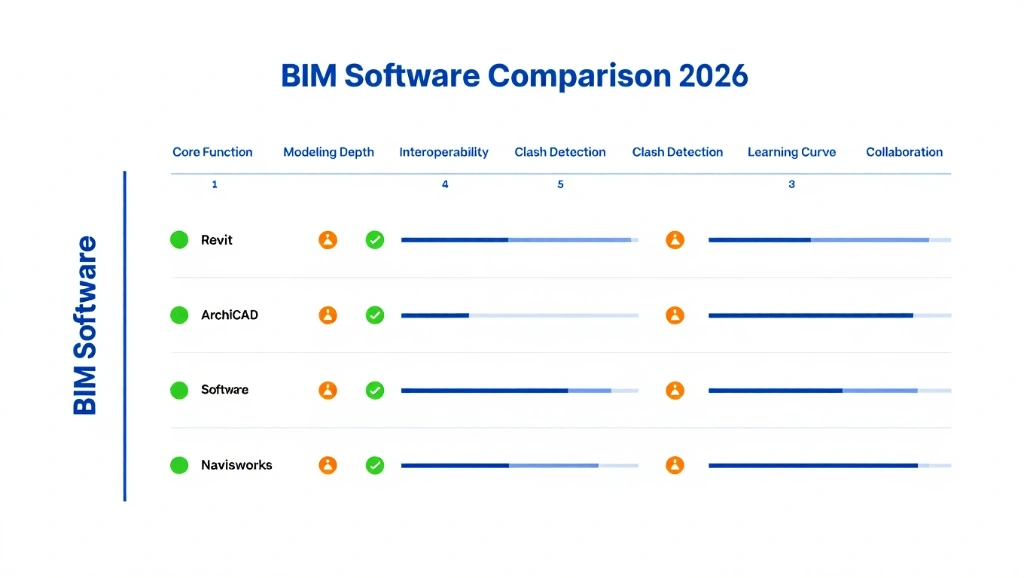
2026 BIM Software Comparison
| Software | Best For | BIM Authoring | Coordination | MEP Support | Cloud Support | Difficulty | Cost |
| Revit | Enterprise / MEP | Yes | High | Elite | Native (ACC) | High | |
| Archicad | Architects | Yes | Mid | Good | BIMcloud | Mid | $$$ |
| Navisworks | Clash Detection | No | Elite | N/A | Yes | Mid | $$$ |
| Tekla | Steel / Concrete | Yes | Mid | N/A | Trimble Connect | High | $ |
| Vectorworks | Design / Site | Yes | Mid | Basic | Cloud Services | Mid | $$$ |
| OpenBuildings | Infrastructure | Yes | High | Good | ProjectWise | High |
Revit vs. Archicad: Which BIM Software Is Better in 2026?
People still argue about this. Usually for a long time. And the answer is still uncomfortable: it depends on how you actually work.
Revit has grown into a big system. In 2026, it’s rarely just Revit. It’s tied to cloud files, shared models, coordination tools, and constant syncing between teams. If structural and MEP engineers are updating models all day, this setup makes sense. It’s heavy, but it holds everything together.
Archicad feels different. Many architects like how quickly ideas turn into drawings without wrestling with the software. Collaboration exists, but it stays quieter. Less overhead. Fewer layers.
Graphisoft Archicad is about the Experience. It feels more like a drafting board and less like a database. Its Teamwork function is arguably smoother for remote work, and its handling of “OpenBIM” (IFC) is superior. Archicad doesn’t care if your engineer is using Revit or Tekla; it’s designed to be the Great Communicator.
Neither is perfect. One favors control and scale. The other favors flow. The better choice usually reveals itself once deadlines hit.
The Learning Curve
- Revit: Expect 3-6 months to feel proficient. It is rigid. If you don’t follow the Revit logic, the software will fight you.
- Archicad: Most designers are up and running in 4-6 weeks. It’s more forgiving and visually intuitive.
Market Share and Hiring
In the US, Revit holds approximately 70% of the BIM market share. This means hiring a Revit-trained technician is much easier than finding an Archicad expert. However, Archicad firms often report higher levels of designer satisfaction and less burnout from technical troubleshooting.
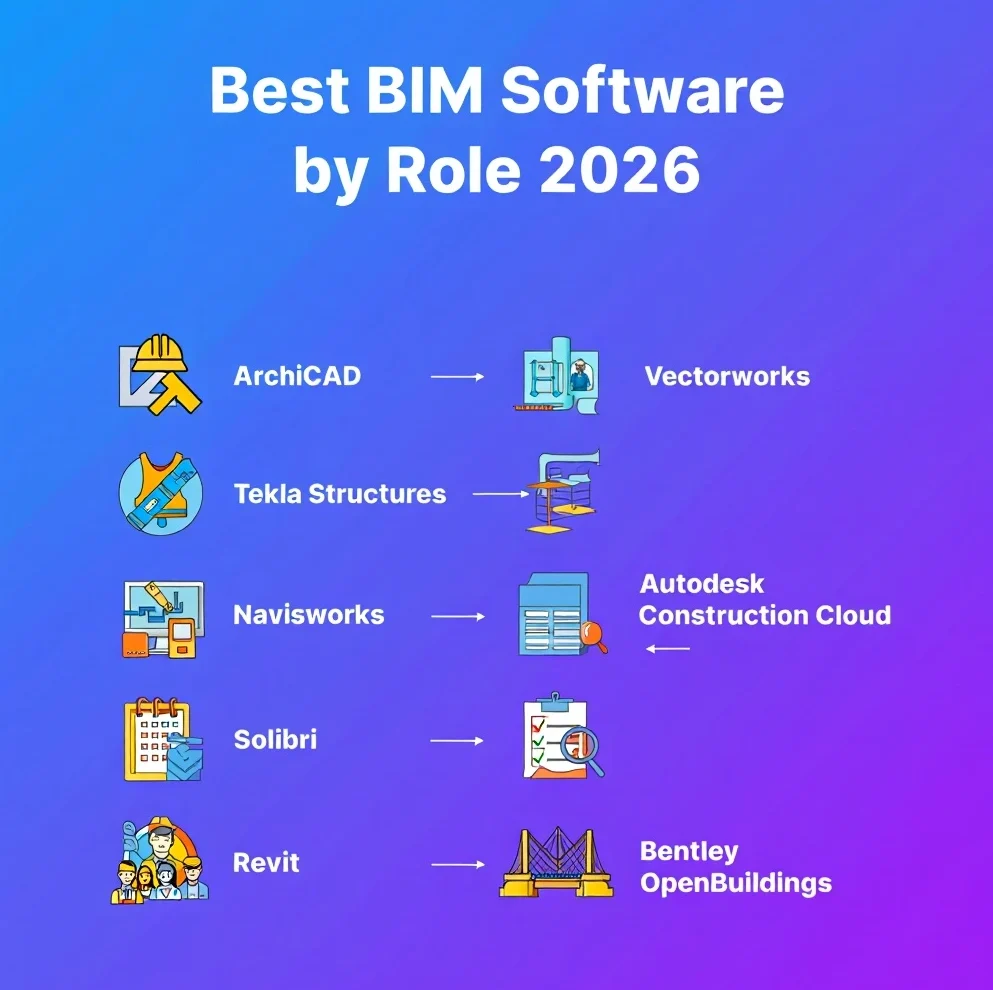
Best BIM Software by Use Case (2026)
| Use Case | Recommended Software | Why? |
| Large Architecture Firm | Revit | Deep collaboration & hiring pool. |
| Boutique Design Studio | Archicad / Vectorworks | Superior graphics & design flow. |
| MEP Engineering | Revit MEP | The most “intelligent” systems modeling. |
| Structural Detailing | Tekla Structures | Fabrication-level accuracy (LOD 400+). |
| General Contractor | Navisworks / ACC | Best-in-class clash detection. |
| Infrastructure / Rail | OpenBuildings | Handles GIS and massive data sets. |
| Small Residential | SketchUp + BIM Plugins | Cost-effective and fast conceptualizing. |
How to Choose the Best BIM Software for Your Firm
Buying BIM software is a massive investment, not just in license fees, but in training hours. A better alternative would be BIM modeling services from a credible company. However, if you are still willing to go for software and DIY, run your firm through this 5-point audit:
- What is your Project DNA? If you do 50 small houses a year, Revit is overkill. If you do one $200M hospital every three years, you need Revit’s coordination power.
- What is your Collaborator Stack? If all your preferred structural and MEP consultants use Revit, your life will be 100x easier if you use Revit too.
- Calculate the True Cost: The license is only 30% of the cost. Factor in 40 hours of training per staff member, upgraded hardware (BIM loves RAM!), and the time lost during the transition.
- LOD Requirements: Do your contracts require LOD 400 (Fabrication)? If so, tools like Tekla or specialized Revit families are non-negotiable.
- Scalability: Don’t buy for the firm you have today; buy for the firm you want to be in 2028. Is the software Cloud-Ready?
Future Trends in BIM Software for 2026 and Beyond
Dealing with BIM is more like co-authoring with machines. Here’s what 2026 is bringing to the table for top BIM tools for architects and Computer Aided Designs:
● AI-Assisted Generative Design:
Instead of drawing ten parking lot layouts, you tell the AI your constraints. It spits out the most carbon-efficient version in seconds. Tools like Autodesk Forma are now standard for early-phase site analysis.
● The Digital Twin Takeover:
The finish line for BIM has shifted, and it’s no longer about the handover of the building. On the contrary, it deals with the handover of the Digital Twin now! Owners now expect a live, cloud-synced model that connects to IoT sensors. It helps manage building energy in real-time.
● Gamified Coordination:
With the integration of Unreal Engine 5 into tools like Twinmotion and Revit, walking through a model isn’t just for client pitches! It’s for finding clashes. If you can hit a pipe in VR, the contractor knows it’s a problem in the field.
● Sustainability as a Default:
In 2026, green isn’t a plugin; it’s the core. Real-time embodied carbon calculators are now embedded in most BIM authoring software, giving you a Carbon Score as you design.
Conclusion
At the end of the day, the best BIM software is the one your team actually uses to its full potential. In 2026, the construction industry will have no room for pretty pictures that aren’t backed by solid data.
The transition to BIM can feel like climbing a mountain, but the view from the top (reduced rework, higher profit margins, and happier clients) is worth every penny of the subscription. Stop drafting the past and start modeling the future.
At BIM Modeling, we know that accurate data is the backbone of every great project. If you do not want the hassle of selecting BIM software yourself, leave everything to us! Our team will create a code-compliant and ready-to-fabricate BIM model for you project without breaking the bank!
FAQs
What is the absolute best BIM software in 2026? There’s no “best,” only “best for you.” Revit wins on market dominance and MEP, Archicad wins on designer UX, and Tekla wins for hardcore structural detailing.
What BIM software do architects use most?
In the US and UK, Revit is the titan. However, in Europe and Australia, Archicad holds a massive, loyal chunk of the architectural pie.
Which BIM software is best for MEP engineers?
Hands down, Revit MEP. Its ability to calculate flow, pressure drops, and electrical loads within the 3D model (while syncing with the architect) makes it the gold standard for MEP.
What is the difference between BIM authoring and BIM coordination software?
Think of it this way: Authoring tools (Revit, Archicad) are the kitchens where you cook the meal. Coordination software (Navisworks, Revizto) is the quality control that makes sure there isn’t a hair in the soup (or a pipe through a beam).
Is Revit better than Archicad?
Revit has a better ecosystem; Archicad has a better soul. If you need a massive, multi-disciplinary machine, go to Revit. If you want an intuitive, design-first workflow, go with Archicad.
What BIM software is best for small firms?
Vectorworks or SketchUp + BIM extensions (like PlusSpec). They offer lower overhead and a faster path from idea to submission without the enterprise complexity.
