
Last winter, a pro cyclist followed a training program indoors, staring at a screen. His smart trainer felt every hill from a real mountain route. When he pushed harder, the resistance changed instantly, as the road fought back. He tested pacing, nutrition, and recovery without risking a crash. He watched his heart rate increase before his legs even felt tired.
Factories want the same feedback loop now, for good reasons. Schedules change, parts arrive late, and equipment sounds fine until it fails. So, teams need a model that behaves like the real plant, minute by minute. That’s why Digital Twin in manufacturing matters in 2026 for project teams. Let’s explore details on the Digital Twin!
What is Digital Twin?
Consider a Digital Twin as a living mirror of a physical thing. It updates as the real asset changes, instead of freezing at handover. In a factory, that thing can be a machine, a line, or the whole site. You can use it to monitor, analyze, and improve operations without risky trials.
When was the Digital Twin Started?
The idea didn’t appear overnight, and that’s important context. The concept shows up in early 2000s product lifecycle thinking. Later, NASA formalized the term in a 2010 technology roadmap context. Since then, the scope widened from product replicas to full systems. Manufacturers now twin assets, lines, and schedules using live data feeds.
Digital Model Vs Digital Shadow Vs Digital Twin
Construction teams often mix these terms, which causes significant issues. A model can look perfect and still do almost nothing operationally, and a shadow helps, but it stays one-way, like a dashboard with geometry. To close the loop between them, you can use a Digital Twin. It exchanges data both ways, so it can test actions and reflect outcomes.
| Digital Model | Digital Shadow | Digital Twin |
| 3D representation, static or simulated, with no live connection. | Receives real-time data one way, for monitoring and analysis. | Continuously exchanges data in both directions, enabling optimization actions. |
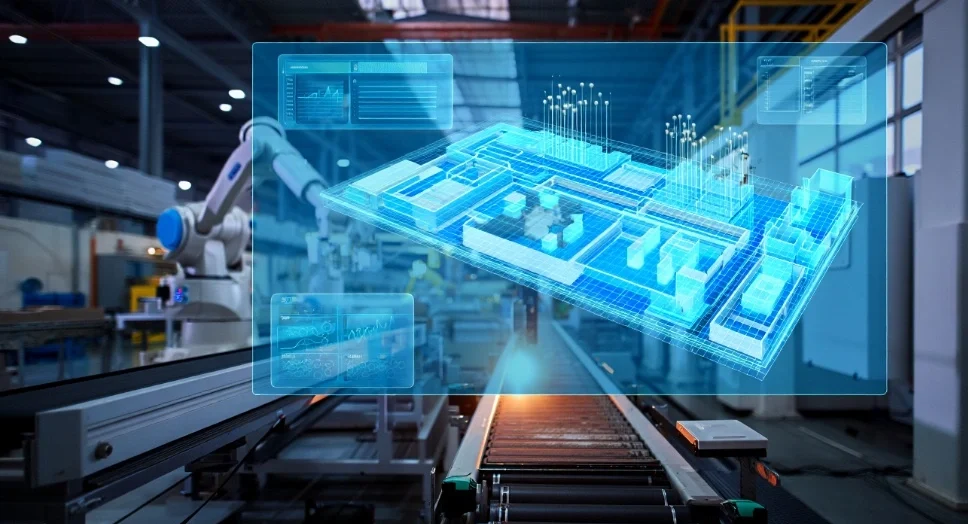
Key Features of Digital Twin
● Real-Time Data Integration
A twin stays useful because it keeps pace with reality. Sensors, PLC signals, historians, and business systems feed updates continuously. That stream turns yesterday’s model into today’s operational picture.
In other words, Digital Twin lives or dies by trustworthy timestamps. This means teams can start with past and present data, plus layer future assumptions through engineering knowledge or ML.
● Bi-Directional Interaction
A true twin doesn’t just watch; however, it can influence outcomes. It exchanges data in both directions between physical and digital systems. So, you can test a new setpoint, scheduling rule, or maintenance action. This way, you see the downstream effect on flow, energy, and quality.
● Simulation and Predictive Analysis
Simulation gives you what-if capability without the cost of wrong decisions. Factory twins run scenarios for layout changes, product mix, and constraints. When you add analytics, the twin spots bottlenecks that spreadsheets miss; it can also learn patterns and suggest better sequencing over time.
● Lifecycle Continuity
A twin works best when it spans the full journey, not a single phase of the project. That means design intent evolves into verified reality, then into operations. This continuity matters because the project-to-operations gap damages performance. Teams often hand over static models that lose value after the execution.
● Visualization and User Interaction
A twin must communicate clearly with busy people on the floor. You need 3D context, not just charts, when alarms and constraints collide. Good visuals let estimators, PMs, and engineers agree on what changed. This way, they act faster, because everyone sees the same situation.
● Scalability and Interoperability
Factories rarely run one system, from one vendor, with one naming style. Therefore, your twin must handle modular expansion and mixed data sources. Modular tech stacks help you grow from one line to many lines. Common naming conventions also reduce issues when use cases multiply.
Benefits of Digital Twin
Cut Product Time to Market
When you remove waiting for hardware, you remove weeks of delay—digital twins speed decisions in design, testing, and integration activities. For example, a workflow can drop simulation time from hours to seconds. That shift lets teams run faster, and it reduces late engineering surprises. In 2026, that speed translates into fewer shop-floor interruptions.
This enables you to fix issues virtually early, and later build with fewer fixes.
Process & Process Performance Optimization
Digital twins work when schedules fight constraints, and bottlenecks hide. Using it, teams can simulate real-time conditions and run what-if changes quickly. In one deployment, improved sequencing reduced processing time by about 4%. In another, a schedule redesign delivered 5–7% monthly cost savings. Those results come from removing blocked time, starved time, and overtime waste.
Boost Production Efficiency
Operators lose efficiency when they can’t see the real constraint quickly. A twin reveals where flow slows, and it points to practical adjustments. It also supports faster production times and reduced downtime. That’s how teams increase OEE (Overall Equipment Effectiveness) without guessing and without adding labor.
Enable Maintenance Before Failures
Unplanned downtime can cost tens of thousands of dollars per hour. So, maintenance teams need early warning, and not a post-mortem report. Here’s where Predictive Maintenance earns its reputation. A twin uses live conditions and scenarios to forecast issues earlier. Instead of blanket servicing, teams schedule work at the right moment. That reduces emergency stops and protects quality commitments.
Allow for Virtual Commissioning
Traditional commissioning finds problems when the plant already feels expensive. Virtual commissioning moves that discovery earlier, inside a controllable replica. In one industrial automation program, virtual commissioning cut on-site time 70%. The same effort also reduced rework by 40–50% and improved delivery time.
Uses of Digital Twin
1. Equipment Monitoring
A useful twin lets you watch equipment behavior in context, not in isolation. You see cycle time, vibration patterns, and thermal load changes together. More importantly, you link those signals to a physical location in 3D. That helps field teams troubleshoot faster, because they know “where” and “why.”
● Real-Time Data Analysis
A twin helps teams turn messy signals into operational meaning. It separates normal variance from true change, using the plant’s logic. You can also trace a problem across dependencies, like buffers and changeovers. That matters because manufacturing behavior rarely follows a single root cause.
● Maintenance forecasting
Teams can model degradation, plus plan interventions at smarter intervals, using twins. They combine historical patterns with live signals to refine timing. This approach reduces wasted servicing and limits disruptive breakdowns. It also improves safety, because crews avoid emergency workarounds.
● Operations Optimization
Factories change daily, even when processes look standard. Demand shifts, product mix changes, and wear change weeks. A twin updates scenarios, so that planners can reroute flow or tune batch size. That helps teams maintain throughput during turbulence, not after the fact.
● Life Cycle Management
A twin helps teams manage the entire history of a component or line. It tracks condition, repairs, upgrades, and performance limits over time. So, it supports the Asset Lifecycle from design changes to retirement decisions. That long view supports better capex planning and smarter change control. It also protects institutional knowledge when experienced operators retire.
2. Training
● Enhanced Learning Experience
Training gets harder when production never stops and risks stay real. A twin gives new staff a risk-free environment that mirrors operations. Instead of static manuals, they explore equipment behavior interactively. This way, they learn faster, and they break fewer things in the real plant.
● Simulation of Real-World Scenarios
You can replay faults, bottlenecks, and changeover storms on demand with twin technology. That repetition builds skill, because the situation feels familiar later.
● Consistency and Scalability
With twins, training stays consistent across shifts and across sites, even when teams change. And you can scale onboarding without halting production lines for classroom time.
3. Tours and Guests
● Interactive Guest Experiences
A live 3D view with a twin technology makes factory tours safer and more informative. Guests see the process flow without stepping into restricted areas.
● Educational Outreach
Using twins, schools and partners can explore manufacturing systems with realistic constraints. That outreach also helps hiring, especially during labor shortages.
● Stakeholder Engagement
Owners, insurers, and clients often ask, “What happens if this fails?” A twin answers with scenarios, not opinions, ensuring your trust improves.
● Marketing and Branding
A clear digital experience helps teams explain complex assets simply. It shows reliability work, sustainability targets, and uptime strategies visually.
4. Designing & Planning
● Iterative Design Exploration
Planners can test layouts, clearances, and worker movement virtually. Consequently, you avoid expensive rework after concrete cures and equipment arrive.
● Collaborative Design Process
A shared model keeps trades aligned on space, access, and sequencing. That alignment reduces field conflicts, because everyone reviews the same truth.
● Risk Mitigation
Using twins, teams identify failure modes early by testing real controls and safety logic. That reduces commissioning surprises, which usually create the biggest claims.
● Sustainability and Resource Optimization
Efficiency improvements often reduce energy and material consumption together. So, optimization helps both budgets and sustainability goals.
How Do Manufacturers Use Digital Twin?
● Condition-Based Service Planning
As already mentioned, manufacturers connect sensors and PLC data, then monitor health continuously. They schedule service when evidence shows risk, not when a calendar demands it.
● Virtual Commissioning and Prototyping
Using twins, manufacturers test PLC code, robot programs, and HMI logic in a replica. Plus, they commission faster because the control logic already behaves in context.
● Process Optimization and “What-if” Analysis
Manufacturers run thousands of schedules or layouts to find hidden constraints, using twins. They also adjust sequencing rules to reduce blocked and starved time.
Connect BIM with smarter operations—start using digital twin technology today with BIM Modeling!
Contact Us● Real-time Monitoring
Manufacturing teams use the twin as a single operating picture across systems. That view helps supervisors act fast when mix changes or supply delays hit.
● Quality Control and Traceability
Manufacturing experts tie quality measurements to exact process steps and equipment states. This way, they investigate faster and avoid repeat defects more reliably.
● Mass Customization
Manufacturers explore small-batch and mixed manufacturing without losing control. They test configuration rules virtually and roll changes out with less risk, using twins.
How Does the AEC Industry Use Digital Twin
First, AEC stands for Architecture, Engineering, and Construction. It covers the teams who design, build, and hand over the built environment. In this world, the biggest issue is the outcome. The project finishes, but operations inherit systems they didn’t help specify.
Let’s explore how AEC uses Digital Twin!
● Design & Construction Optimization
Teams use twins to validate performance against design goals early. For example, a twin can test passenger flow in large facilities like airports.
● Facility Management & Smart Buildings
BIM often starts in capex (capital expenditure), while operations live in opex (operational expenditure) reality. So, operational teams need a data pull approach, based on real headaches. Twins help connect building systems, sensors, and maintenance workflows.
Note: If you want the BIM basics, check out What Is BIM in Architecture? A Complete Guide for Architects.
● Maintenance Outcomes in Operations
Teams integrate model data into maintenance systems to speed work processing. One set of numbers shows a 9% drop in work order processing time. Another shows maintenance delivery becomes 20% more efficient with integration.
● Infrastructure & Urban Planning
Smart city twins help teams simulate mobility and sustainability scenarios. They test impacts before changing roads, utilities, and public services.
● Decision-Making through Simulation
Digital twins rely on real-time bidirectional flows plus simulation models. That combination lets owners test policy or operational moves with less debate.
The Link Between BIM & Digital Twin
BIM gives you structured geometry and information for design and delivery. A twin adds live telemetry, operational context, and feedback loops. In other words, BIM often freezes at handover when budgets and incentives change. However, a twin stays funded because it protects uptime and operational performance.
See the table for the differences between the two:
| Focus Point | BIM | Digital Twin |
| Primary Goal | Coordinate design intent and construction deliverables. | Optimize real-world performance through continuous feedback. |
| Nature of Data | Mostly structured, static project information at milestones. | Live, time-series signals plus context and history. |
| Lifecycle Stage | Strongest from design through handover. | Strongest from commissioning through operations and improvement. |
| Core Function | Clash control, coordination, and information delivery. | Monitoring, scenario testing, and decision support in real time. |
| Relationship | Often becomes the structured foundation data set. | Extends BIM by adding live behaviors and control logic. |
How do BIM & Digital Twin Work Together?
● The Foundation
BIM gives the spatial truth: where equipment is placed, and how access works. That matters in plants because maintenance needs clearance and safe routes. This is where BIM for Industrial Facilities becomes non-negotiable. You can’t twin what you don’t clearly define in space.
● From Static to Dynamic
A twin starts as a simulation, then it becomes dynamic with real-time data. So, you move from “nice model” to “model that keeps up.” That shift requires IoT-BIM Integration with consistent asset identifiers.
● Enhanced Decision Making
Real-time bottleneck models help leaders adjust schedules under constraints. And they can do it without breaking delivery promises or safety rules.
● Unified Lifecycle Management
BIM can support a passive asset model, while telemetry makes it active. That’s how Digital Twin in Manufacturing bridges design and operations cleanly.
If you want to know the features of the perfect designs, see our guide on What are the characteristics of modern design.
How to Convert BIM to Digital Twin for Factories
- Start by treating the BIM model as an asset register, not just 3D.
- Then map every maintainable asset to a unique ID and location.
- Next, connect time-series signals to those IDs through your data platform.
- Finally, add simulation logic so the model can test actions, not just show them.
How to Create a Perfect Digital Twin in the Manufacturing Process
1. Select Asset
Start with one production constraint, not the entire plant. Pick a line, a cell, or a utility system with clear downtime pain. Then define the operational questions that matter, like throughput or changeover time. This step keeps your scope honest, and your data needs to be realistic.
2. Create Digital Representation
Build the geometry, then verify it against field reality before connecting anything. Use scanning, photos, and tag walks to close gaps in location and naming. This is where As-Built Modeling protects every downstream decision. If geometry lies, the twins’ predictions will lie with it. Target LOD 500 detail only where operations truly need it. If you want to know why LOD 500 is the target, see our guide on How to choose the right LOD in BIM.
3. Integrate Sensor and Collect Data
Start with the data you already own, like historian points and PLC states. Then, add missing sensors only when they answer a specific question. Make each signal traceable to an asset ID, location, and unit of measure. This is where CAD Drafters and the BIM Modeling team add real operational value.
4. Integrity Activation and Operation
Define governance early. This means answering who owns naming, updates, and change requests. Then, connect the twin to the systems people actually use. A precise handover includes COBie Data or a similar asset spreadsheet. That keeps maintenance tools aligned with the model’s asset IDs.
5. Continuous Improvement and Training
Treat the twin like software, because it behaves like software. You update it, test it, and improve it as processes evolve. Also, reuse the twin for training and scenario drills. That way, every improvement doubles as a learning tool.
Digital Twin Implementation Challenges in 2026 + Solutions
● Data Complexity and Quality
Data drives the twin, but messy data breaks trust quickly. Teams struggle when sources conflict, formats vary, or timestamps drift. So, you need governance, precision, and clear definitions before scaling.
● System Integration
Digital twins must connect to legacy systems that were never planned to talk. That mismatch creates delays, rework, and expensive middleware decisions. A modular architecture reduces risk because you plug in components gradually.
● Technical expertise
Teams face a steep learning curve for modeling, controls, and data. You often need hybrid talent across OT, IT, and simulation. Cross-functional teams close gaps faster than isolated specialists.
● Cost and ROI factors
Digital twins require software, sensors, integration work, and training time. So, budget owners demand a clear path to measurable value. Pilot projects help establish ROI while keeping risk contained.
● Scalability
Many teams build a pilot, then fail to replicate across lines and sites. They hit naming inconsistency, template drift, and uneven data maturity. A modular approach with standards helps you scale without rebuilding everything.
● Cybersecurity
More connectivity increases exposure, especially across IT and OT boundaries. Attackers may target data, controls, or the tools that visualize the process. Therefore, teams need encryption, audits, and strict access control from day one.
● Cultural Resistance
Some teams trust the line operator more than any digital output. Others fear the twin becomes a scorecard instead of a support tool. Changing management works best when operators help define the use case early.
● Regulatory Compliance
Data and confidentiality rules shape what you can collect and share. Some industries also require traceability and validated models for decisions. Hence, you must align the twin with compliance needs before deployment.
● Real Time Data Processing
A twin needs fast processing, especially when decisions become real-time. Slow infrastructure creates lag, and lag creates wrong actions. Edge computing and prioritized signals help teams keep performance stable.
● Long-Term Maintenance
A twin stays accurate only if teams maintain it through changes. New equipment, new tags, and new recipes require updates and validation. Therefore, you must plan for a sustainment budget, not just a build budget.
Other Technologies Near Digital Twin
Artificial intelligence and machine learning
AI helps the twin move from monitoring to anticipating. It can detect abnormal patterns and test scenarios faster than humans. Still, AI works best when inputs stay precise and well-structured. Otherwise, it amplifies inaccurate assumptions into confident-looking outputs.
Internet of Things
IoT provides the continuous signals that keep the twin current. Sensors capture condition data and send updates through networks and platforms. Thus, IoT turns a simulation into a living system that adapts daily.
Virtual Reality
VR turns complex plant behavior into something teams can read & understand. Engineers can explore layouts, safety routes, and process flow immersively. It also supports training, because people remember physical movement. Simply put, VR improves understanding without interrupting live production lines.
Conclusion
Digital twins work when they stay connected to reality through live data. They also work when teams design for operations, not just for handover. In 2026, Digital Twin in manufacturing closes the gap between model and shop floor. Using this, you can cut rework, improve scheduling, and reduce commissioning issues.
To get there, you need accurate BIM, clear asset IDs, and precise data flows. That’s where our BIM Modeling delivery helps most teams. We build industrial-ready models, validate field conditions, and structure handover data, ensuring that your factory twin starts with a model you can actually trust.
If you’re planning a factory upgrade in 2026, start with our model. Map your assets, define your data needs, and let our operations team lead!
FAQs
Why should simulation be your starting point?
Most plants aren’t ready to connect every machine and data stream. For them, simulation gives a controlled way to test layouts and process flows first. When you go for this, you can scale toward real-time links when value proves itself.
How do factory digital twins work?
They integrate data from PLCs, MES, ERP, and other sources. Plus, they simulate outcomes from real-time conditions for what-if decisions. In advanced setups, they influence scheduling with human review or automation.
What is prototyping in a digital twin?
Digital prototyping means you test behavior virtually before physical execution. Using this, you can validate sequences, safety logic, and constraints without blocking production. This way, you find bugs early, when fixes cost less, and timelines stay stable.
What are the risks of digital twins?
Data quality problems can mislead decisions and reduce trust quickly. Security and interoperability risks also rise as systems connect and scale. Therefore, you need governance and cybersecurity baked in from the start.
Is it costly to implement a digital twin?
Yes, it can be, because you pay for integration and long-term upkeep. Remember that upfront costs also vary based on scope, sensors, and system complexity.
How to save cost and time in implementing digital twins?
Start small, prove value, and expand with reusable templates and standards. Also, use modular stacks and APIs to avoid rebuilding every integration. Plus, train internal teams to reduce consultant dependency over time.
