

Every minute, buildings around the world are leaking value. Whether is is through unnoticed HVAC inefficiencies, hidden maintenance needs, or deferred capital repair. The global digital twin market is projected to grow to US$155.84 billion by 2030. This reflects a compound annual growth rate of 34.2 %.
In other words, the race is on to bring physical assets into a connected, data-rich reality. Enter the digital twin (the “always-on” model that watches your building silently) flags the root causes of problems long before they erupt, and gives you the vantage point of both today’s condition and tomorrow’s risk.
A digital twin is a continuously updated virtual replica of a physical asset (in this case your building) that links geometry, systems, sensor data, operations and lifecycle information in one living model. It matters because it unlocks operations savings, enables predictive maintenance, and supports smarter capital planning by turning reactive fixes into proactive strategies.
What Exactly Is a Digital Twin?
A digital twin isn’t a glossy 3D model sitting in a folder somewhere. It is an exact digital replica of your complete construction project that is easy to analyze and highly detailed.
A digital twin is a digital copy of a real building or system that updates itself with real-time data from sensors, meters, and equipment.
That’s the simple version. The truth is, it keeps changing as the actual building changes. A 3D model might show how things look. A twin shows how things behave. The heating system’s running late. Air quality’s dipping in one corner. The lobby lights waste power when no one’s around. The twin notices all of that.
It’s not flashy technology for the sake of it. It’s a tool that listens to the building breathe and answers back with what’s really going on.
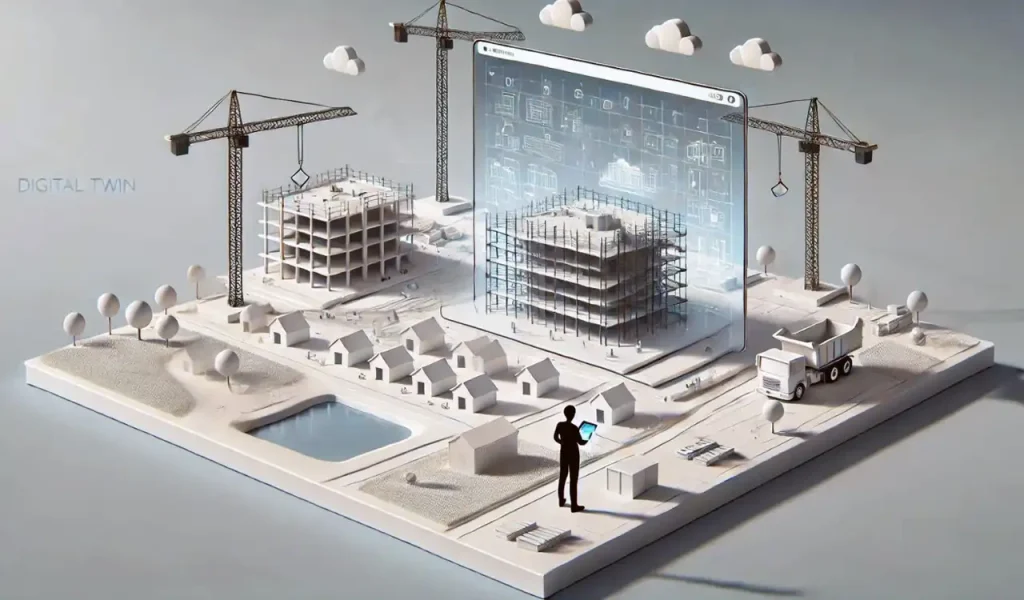
Levels of Digital Twins
Digital twins come in layers. Each one digs a little deeper.
- Asset twin: one machine, one device, tracked in detail.
- System twin: a collection of assets working together, like the HVAC network.
- Process twin: maps the tasks that keep those systems running — maintenance, repairs, cleaning cycles.
- Full-building twin: everything connected. Sensors, equipment, walls, rooms, and schedules all feeding into one digital view.
They’re not built all at once. Most start small and grow.
A Simple Example
Say your office runs half empty on Fridays. The occupancy sensors send data. The twin catches it, slows the airflow, and saves energy without anyone touching a control. It keeps watching, learning. Over time, it knows your building’s rhythm better than anyone working inside it.
Why BIM Is the Natural Starting Point
Most buildings already have a story in digital form, even if no one’s paying attention to it. That story lives inside the BIM file.
BIM (short for Building Information Modeling) isn’t just another design tool. It’s the detailed record of how a building fits together. Every wall, valve, air duct, and screw has data tied to it. You can open the model and see more than drawings. You see the properties of each material, the maintenance notes, the exact equipment IDs. It’s a map with memory.
Now imagine trying to build a digital twin without it. You’d have to guess what’s hidden behind walls, track every system from scratch, and re-create details that already exist. BIM fixes that problem. It gives structure to chaos with a digital framework that the twin can grow from.
Once sensors start sending data, the BIM model becomes something different. The temperature reading from the HVAC fan? It lands on the fan’s digital counterpart inside the model. Same with power meters, occupancy counters, humidity sensors. Each number finds its match. Slowly, the model begins to breathe.
There’s no single platform for this. Autodesk Tandem is one that does it, but plenty of others work through cloud APIs or open formats like IFC and COBie. The idea stays the same: connect what’s physical to what’s digital, piece by piece.
BIM gives an order. The sensors bring motion. Together, they make a twin that isn’t stuck in the past. It reacts. It learns. It shows what’s happening right now and not what the blueprint once promised.
The Technical Workflow: How to Create a Digital Twin from BIM
Creating a digital twin with BIM is all about precision and extreme accuracy. Here is a complete technical workflow for creating a digital twin from BIM:
1. Capture the As-Built Model
Everything starts with the real building, not the plan. Over time, what’s on paper drifts from what’s actually built. Walls shift a few inches, ducts get rerouted, sensors move. So, before you can have a working digital twin, you need a precise as-built model.
Teams use laser scanning or LiDAR to collect millions of data points (a point cloud). That cloud becomes the skeleton for a BIM model in Revit, or an open-format IFC file. Accuracy matters here. Even a few centimeters off can throw off a system alignment later when data starts streaming in.
Versioning becomes another headache. The construction BIM might be six months behind reality. A scan done after commissioning gives you the ground truth. That version becomes the base for your twin.
2. Clean and Enrich BIM Data
Once you’ve got the as-built file, it’s rarely ready to use. BIM data tends to be messy — half-filled parameters, wrong tags, duplicated elements. Before anything connects to live data, the model has to be cleaned.
This step means adding asset IDs, serial numbers, manufacturer details, and maintenance schedules. Those fields tie the physical assets to the digital record. Some teams use COBie exports to make that mapping easier. The key is consistency. If one chiller is labeled “CH_01” and another “Chiller_1,” automation scripts start breaking down fast.
Common pitfall: missing metadata. A model with perfect geometry but no asset data is almost useless to a digital twin. Garbage in, garbage out.
3. Connect Sensors and IoT Devices
Once the data’s structured, it’s time to make the model feel alive. That happens through sensors. Energy meters, CO₂ sensors, occupancy counters, water flow monitors, temperature probes, and anything that measures a physical condition can feed the twin.
Some devices send real-time telemetry every few seconds. Others batch data in intervals, such as once a minute, once an hour. The frequency depends on network limits, storage costs, and what you actually need to observe.
Edge devices come in where latency or bandwidth is an issue. They process raw sensor data locally before sending summaries to the cloud. That keeps the system fast and avoids data overload.
Get Digital Twin Services From BIM Modeling
Contact Us4. Integrate via a Digital Twin Platform or Middleware
All that sensor data needs a home. That’s where digital twin platforms or middleware step in. They act as translators between raw sensor data and the BIM geometry.
Data flows through APIs and message queues, often using protocols like MQTT or AMQP. The readings get stored in time-series databases so you can track performance over days, months, years.
Platforms like Autodesk Tandem, Azure Digital Twins, Bentley iTwin, or Siemens NX handle this integration differently. Some focus on visualizing the live model; others emphasize analytics and interoperability. Middleware tools normalize the data, cleaning units, timestamps, and labels so everything lines up with the BIM fields.
Without this layer, a digital twin is just noise with thousands of numbers and no context.
5. Add Analytics and Workflows
Now the twin starts doing real work. Data turns into insight. Predictive maintenance becomes possible because the system can recognize patterns. This includes a motor vibrating slightly off baseline, a chiller drawing more power than usual.
Analytics tools simulate “what-if” scenarios. What happens if outside air temperature jumps ten degrees? How does occupancy affect cooling loads? Facility teams see the results in dashboards connected to CMMS or BAS systems.
It’s not just theory. Real projects show results: 15–20% energy savings, fewer unscheduled repairs, faster response times. Some buildings even achieve 30% reduction in downtime for critical systems once predictive alerts kick in.
6. Operate, Update, and Govern
The hardest part isn’t creating the twin but keeping it honest. Over time, equipment gets replaced, walls shift, systems get upgraded. If the BIM model doesn’t update, the twin starts to drift from reality.
That’s why data governance and change control are essential. Someone (a facility manager, a digital coordinator, or a dedicated “twin owner”) must oversee updates. Every modification should trigger a sync: field change → BIM update → twin refresh.
Interoperability still bites many teams. Not all IoT platforms talk to all BIM tools. Standards like IFC, COBie, and Brick Schema help, but mapping remains manual in many cases.
The digital twin only stays valuable if it stays accurate. It’s not a one-time setup; it’s a living system that needs maintenance just like the building itself.
Common Challenges & How to Avoid Them
Digital twins sound impressive until you start building one. Then the cracks show.
Data Quality and Missing Metadata
Half the trouble begins with data. Old BIM files often miss key details. That means no serial numbers, wrong tags, missing maintenance logs. A sensor might stream data, but if it isn’t linked to the right object in the model, it’s just another number floating in space. That’s why many twins fail early. The fix isn’t complicated: clean one system first. Check that every object has a name, type, and ID. Don’t connect anything until the structure’s sound.
Integration Complexity
Different systems rarely agree on how to talk. One uses IFC, another uses COBie, a third runs on a vendor’s private format. Even timestamps can clash with seconds off here, minutes off there. The best way around it is to normalize data early, through middleware or API mapping. Interoperability research keeps improving (Brick Schema, Digital Twin Definition Language, ISO 23247), but it still takes patience to get machines to speak the same dialect.
Siloed Systems and Human Habits
Not all barriers are technical. Many teams still work in silos. IT guards its servers. Facilities stick to spreadsheets. The BIM team disappears after construction. The result: disconnected data and duplicated effort. Breaking silos means starting small. You need to pick one system, one workflow, and show value before expanding.
Best Practices for Digital Twin
Start with the as-built BIM. Don’t skip it. If the base is wrong, the twin will be wrong too. Walls moved. Pipes rerouted. Sensors missing. All of that matters. Someone has to own the model. Updates, decisions, verification — it can’t float in limbo.
Pick a platform that doesn’t lock you in. Open APIs. Flexible connections. You want to add sensors, pull data, integrate other systems without headaches. Sensors aren’t decoration. Choose what actually gives insight. Place them where the data will matter. Too many, and the system clogs. Too few, and you miss patterns.
Start small. One floor, one HVAC system. Show results fast. Energy dips. Maintenance avoided. People notice. Buy-in grows. That’s how a twin stops being abstract and becomes a tool. Practical, visible, useful. Not perfect, but enough to matter.
Tools & Platforms For Digital Twin Services
There are a few ways to slice it. First, the digital twin platforms themselves. These are built to hold your BIM data, stream in sensors, and visualize everything. Autodesk Tandem is one example. It handles BIM models, links to IoT data, and creates dashboards that show real-time building conditions. Others exist, each with quirks.
Then there are cloud providers. AWS IoT and Azure Digital Twins let you store, process, and analyze live data at scale. They aren’t plug-and-play twins; you still need a BIM model, integration work, and some custom setup. But they handle the heavy lifting (storage, computing, analytics) and can connect to multiple systems.
Finally, the simulation and analytics tools. ANSYS or Siemens platforms can simulate airflow, energy loads, or stress points before anything breaks. These are not twins themselves but complement them, feeding predictions and scenarios back into the live model.
FAQ
What’s the difference between BIM and a digital twin?
BIM is basically the blueprint, or maybe a really detailed 3D map. Shows walls, pipes, windows. Static. Doesn’t care what’s happening in real life. A digital twin? That’s different. Sensors, live data, machines talking to the model. It can warn you when a pump is acting weird or if the HVAC is overworking. BIM tells you what was built. Twin tells you what’s happening. Right now.
Can an existing building get a digital twin?
Yes. But not instantly. First, you need a scan or a very accurate as-built model. Laser scans, photos, point clouds, whatever you can get. Then you add sensors — temperature, CO₂, energy meters, occupancy. Old buildings, new buildings, doesn’t matter. Takes planning. Takes patience.
How much does a digital twin cost?
Depends on many things. Sensors, software, integrations. One floor costs less than the whole building. Or a campus. It can seem expensive. But if it stops a few breakdowns, saves some energy, it pays for itself. Eventually. ROI is what matters, not the upfront number.
Which data standards should I use?
IFC for geometry. COBie for maintenance and assets. OPC-UA for sensors. Pick them because systems actually talk to each other. Otherwise you’ll spend days converting stuff manually. Trust me.
Can it improve energy efficiency?
Yes, absolutely. Lights off in empty rooms. HVAC slows down when people leave. Small adjustments, repeated over months, add up. Energy bills drop. Nobody has to constantly babysit it. The twin watches everything.
Who should manage it?
Someone has to. Facility manager, BIM coordinator, digital lead — pick one. Checks data, updates the model, keeps it real. If nobody owns it, the twin just becomes a nice 3D picture that lies to you.
Can it help with renovations?
Definitely. Move walls virtually. Test HVAC loads. Simulate airflow. See what breaks before it breaks. Avoid surprises. Save money. Make better decisions.
Conclusion
So here’s the deal. BIM gives you the skeleton. All the walls, pipes, ducts, equipment, it’s all in there. But a skeleton doesn’t move. Doesn’t tell you what’s wrong. Doesn’t notice when a pump is struggling or a room is overcooled. Add sensors, IoT devices, and some kind of integration platform, and suddenly the skeleton breathes. That’s your digital twin. A living, reactive, learning version of the building.
It’s not magic. It’s messy. You’ll need scans, clean data, updates, and someone paying attention. But when it works, it actually changes things. Fewer breakdowns. Energy bills drop. Occupants stay comfortable. If you want an ideal digital twin for your construction project, contact us and get one at affordable rates.
