

>90% of construction projects face issues when contractors shift plans from paper to the site. Do you know the factors that are causing those issues? Real-time field challenges mean improper georeferencing, inaccurate topography, and utility conflicts. This is where BIM and GIS combine forces and turn the tables. Let’s dive into the details of BIM, GIS, and the magic of their combined force for site planning!
What is BIM in Construction?
BIM stands for Building Information Modeling. For you, it might be a 3D modeler with highly precise visuals. Yes, it is. But according to Autodesk, BIM is a holistic process that creates and manages information about a built asset of a construction project. Simply put, it keeps an eye on geometry, quantities, schedules, materials, and coordination rules, keeping them connected and aligned.
What is a GIS in Construction?
GIS means Geographic Information System. It is the platform that connects location data with descriptive data so your teams can map, analyze, and understand what is happening on a site. According to Esri, GIS is a technology for creating, managing, analyzing, and mapping data through geography. This means that parcels, contours, flood zones, utilities, rights-of-way, and access patterns are all covered on one page.
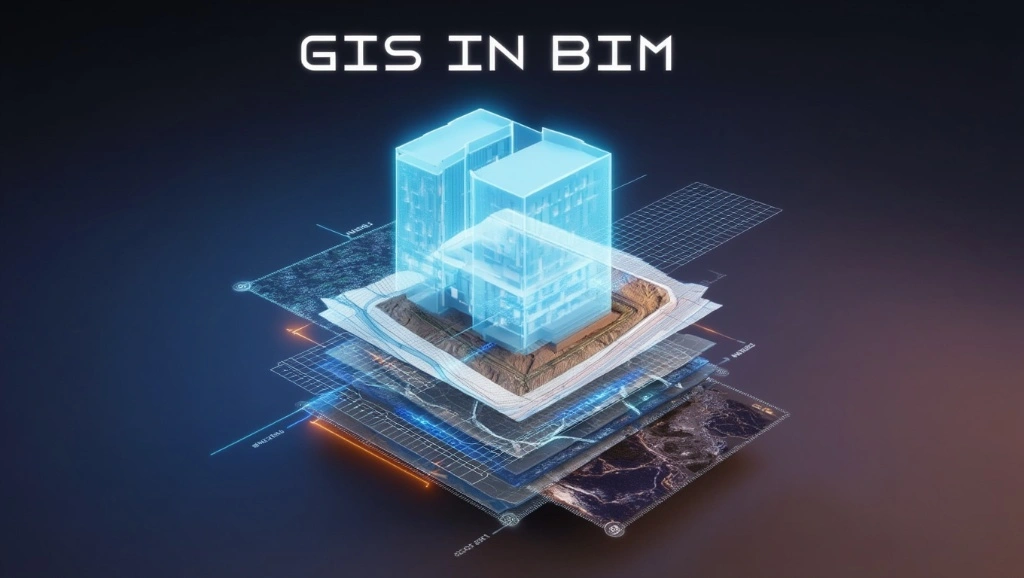
BIM Vs GIS
You have understood that BIM and GIS solve different problems. BIM focuses on the asset itself. GIS focuses on the world around it. BIM carries high-detail model data for structures and infrastructure. GIS carries geospatial context for land use, terrain, networks, and broader planning decisions.
See their differences in the table below.
| Feature | BIM | GIS |
| Focus | 3D building models | Geospatial data and mapping |
| Application | Infrastructure and facility design | Land use, transportation, and environmental planning |
| Data format | IFC, Revit, Navisworks | Shapefiles, GeoJSON, CityGML |
| Key Benefits | Detailed design and construction visualization | Spatial analysis and decision-making |
Note: GIS and BIM can’t replace each other. BIM gives precision, and GIS gives context. They can only work together for better results.
How BIM & GIS Work Together?
For better understanding, take BIM as the detailed object model and GIS as the site intelligence layer. First, GIS brings in parcels, imagery, terrain, flood exposure, and utility corridors. Then BIM places the building, roadway, or structure inside that real-world frame. After that, both teams can test grades, access, drainage, and visibility without guessing. This integration goes beyond visuals since it also supports analysis, coordination, and issue tracking.
Benefits of BIM & GIS Integration in Site Planning
As a construction industry professional, you know that projects start going off when there is a lack of context in early design. Before the GIS and BIM integration concept, this lack showed up in the form of conflicts after gardening or utility coordination. That means the need for rework, which demands both time and money. But, thanks to BIM GIS integration, that has resolved such issues >90%. Continue reading to explore HOW.
Enhanced Plans
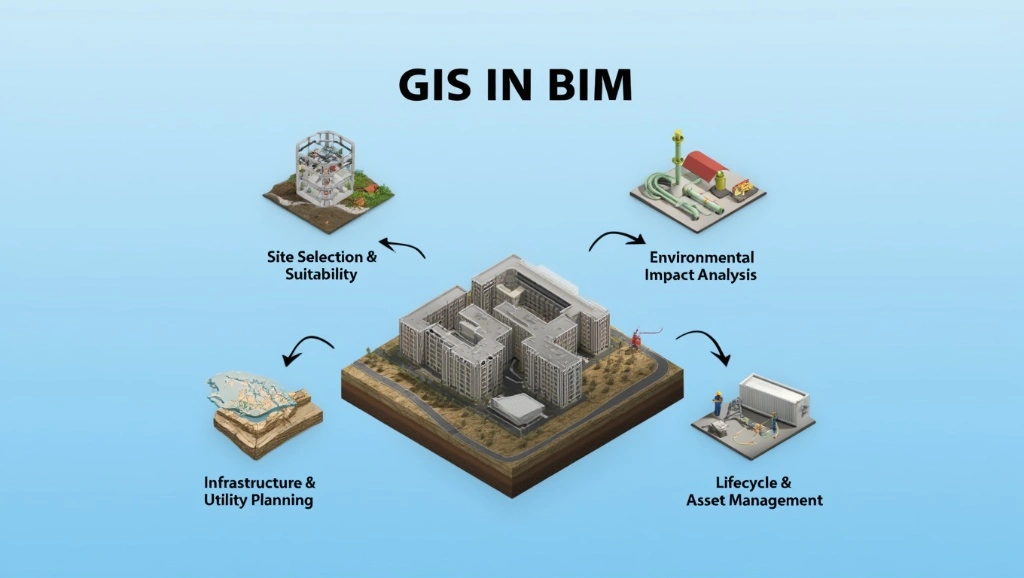
The integration brings actual site facts, and that streamlines the plan. Now, you can see all the details related to terrain, soil boundaries, utilities, and zoning on one screen. This way, the combined force of GIS and BIM helps you make buildable plans.
Improved Collaboration
Conflicts jump in when architects, engineers, planners, and contractors work from different datasets. As GIS-linked BIM provides a single source of data, it solves that issue. When everyone sees the same location context, fewer arguments happen. Plus, this helps project owners make informed decisions while taking almost no time, saving hours on moving through different papers for the same site.
Enhanced Visualization
Contractors and builders mostly ask for clear visualizations. Do you know why? Because a flat site plan never tells a full story. With GIS-backed models, you get a single visual that shows contours, slopes, surrounding assets, and adjacent infrastructure. This benefits the team during the review cycles and saves them significant time.
Efficient Resource Management
The 2 platforms’ integration gives reliable site data. Do you know where it helps the most? During the survey and when teams move machines and labor, the combined forces guide both. Furthermore, it helps phasing decisions because teams can see where haul routes, staging zones, and storage areas actually fit. This provides early clarity to streamline resource management.
Underground Utility Coordination
You know that underground issues show up after excavation. If not addressed early, they cause rework. GIS helps expose utility corridors, easements, and recorded infrastructure early. Then, BIM turns that site information into a coordinated model, which lowers the chance of trench clashes, redesign, and field change orders.
Cost Reduction & Risk Mitigation
Reuters has reported that war pressure on materials, fuel, supply chains, and construction markets has already led to higher costs and weaker activity in some regions. In this situation, you, a geographic information system, will help you make the right decisions.
Sustainability & Environmental Analysis
Site planning with GIS guides on stormwater review, tree preservation, heat-island checks, and cut-and-fill sensitivity. Once you add all these factors into your plans, you can test alternatives and go with the sustainable options, eliminating environmentally damaging factors.
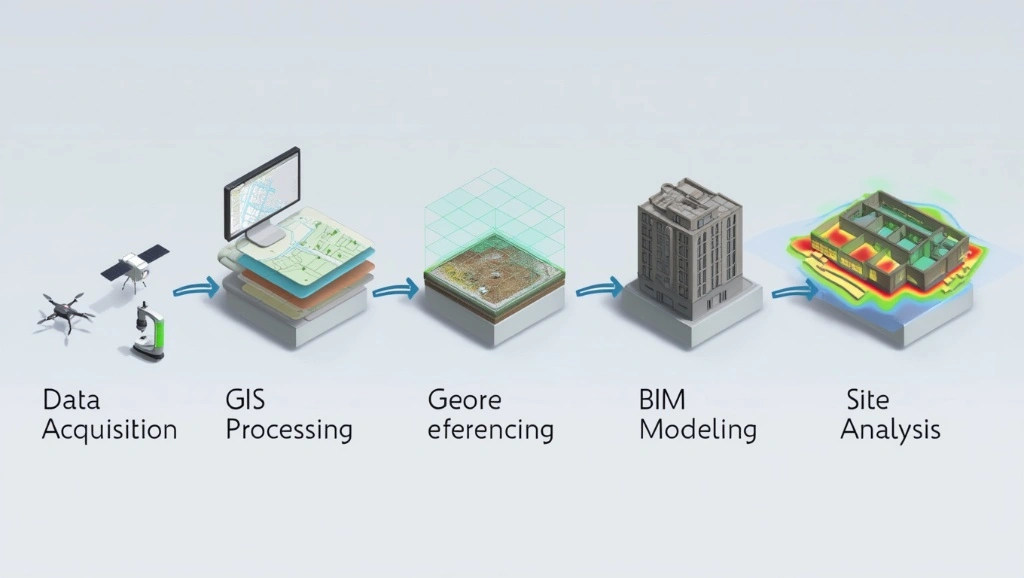
How to Integrate GIS With BIM for Site Plans?
1. Data Preparation & Georeferencing
First, put your focus on the base layers. Refine it by checking the coordination reference systems, elevation datum, survey control, parcel boundaries, and utility records. Make sure that the GIS and BIM share the same spatial logic.
2. Data Conversion And Interoperability
Next, move data through formats that each platform can actually read. IFC supports open BIM exchange, while GIS workflows mostly rely on shapefiles, GeoJSON, or CityGML. This will preserve geometry, attributes, and coordinate meaning during transfer.
3. Contextualization
After conversion, place the BIM model inside the real site envelope. Add orthophotos, contours, parcel lines, drainage paths, and infrastructure layers. This will give your project design decisions a context check.
4. Analytical Application
Then move into analysis. Test slope thresholds, visibility, access routes, flood exposure, and staging options. When the geographic information system feeds analysis into the BIM workflow, your team can compare scenarios before construction documents are done.
What Software Can You Use for BIM GIS Integration?
You can ensure the correct integration of BIM and GIS using the following software.
Esri ArcGIS Pro, GeoBIM, & CityEngine
ArcGIS Pro is Esri’s desktop GIS platform for mapping, analytics, and data management. ArcGIS GeoBIM links GIS data with engineering documents and issues, which helps teams coordinate across project stages. CityEngine adds procedural urban modeling when you need massing, streets, or neighborhood-scale context.
Autodesk InfraWorks & Civil 3D
Autodesk’s BIM-GIS workflow keeps a live connection between InfraWorks, Civil 3D, and ArcGIS. That makes it easier to design corridors, roads, drainage, and site surfaces against real-world geospatial data.
Vectorworks Landmark
Vectorworks Landmark supports geolocation and GIS integration inside the design environment. That helps landscape architects and planners bring terrain, zoning, and site data into early concepts without running between disconnected tools.
Bentley OpenBuildings Designer & OpenSite
Bentley’s site and building platforms lean hard into the infrastructure context. OpenSite is built for site engineering, while OpenBuildings supports design, analysis, and documentation. Bentley also shows ArcGIS-based geospatial context in its workflows, which helps civil teams keep design and location data aligned.
ACCA usBIM
ACCA’s usBIM GIS tools connect BIM models with GeoJSON maps and geospatial layers, and its geotwin platform links openBIM with ArcGIS-style GIS functions for digital twin workflows. That approach is useful when your team needs a web-based environment for mapped assets, coordinated documents, and location-aware operations.
BIM GIS Integration Challenges
The mix of both platforms brings multiple benefits, but after you deal with some challenges. These challenges are not only about software running, but also include mismatched data, weak standards, and teams dealing with all systems the same way.
Understand the challenges so you can address them more effectively.
Interoperability Issues
Different platforms interpret geometry and metadata differently. Teams import models but experience issues with attributes. Open standards work here, but you must implement some reliable solutions:
- Validate rules
- Name discipline
- Create a clear export strategy
Get a Free GIS + BIM Consultation Today!
Contact UsCoordinate System Discrepancies
You know that BIM models mostly start in local project coordinates, while GIS layers use geographic or projected systems. If the team does not align them early, the model can be ruined. You can avoid this with the following strategies:
- Standardize data units
- Establish a shared coordinate system early
- Georeference BIM models correctly
- Validate alignment with reality data
- Utilize proper export and transformation tools
Level of Detail
GIS works better with generalized context, while BIM carries high object detail. If you overload GIS with uniform details on building data, its performance will drop. And if you line BIM too much, you lose useful object intelligence. The trick is to keep each system at the detail level it handles best. Strategies are given below:
- Optimize data & geometry (BIM to GIS)
- Implement Level of Detail (LOD) Strategies
- Segment and link data
- Optimize technical workflow
Also read How to Choose the Right Level of Detail (LOD) in BIM Modeling for Your Project.
Lack Of Industry-Wide Standards
The industry still uses multiple schemas, exchange rules, and naming conventions. BuildingSMART and OGC have been pushing for better alignment, but full standardization is not here yet. That means project teams still need a manual governance layer. Use the following precautions to avoid this:
- Mandate open standards and define specifics
- Implement automated quality control (QA/QC)
- Establish structured governance and procedures
- Utilize cloud-based CDEs for real-time data validation
Technical Skill Gap
Many teams know BIM or GIS, but not both. That creates a gap in georeferencing, data mapping, and spatial analysis. To avoid this, rely on the following suggestions:
- Define standardized, shared workflow
- Implement cross-training & T-Shapeds skills
- Build a hybrid team structure
- Optimize data for common use
Without that, the integration becomes a one-person dependency.
Differences In Data Structure & Semantics
BIM objects describe built components while GIS features describe spatial entities. Those are related, but not identical. This is a semantic mismatch that you can avoid with the following strategies:
- Implement semantic mapping and harmonization
- Apply rule-based data transformation
- Adopt loose coupling integration
2026 Trends of BIM GIS Integration
2026 is not going slow for GIS and BIM integration. They are becoming part of the operational model for design, construction, and project lifecycle management.
Digital Twins
Digital Twins is bridging the gap between BIM and smart operation in 2026, and has become a center of BIM-GIS strategy. Below are its features that streamline site plans.
● As-Built Integration
As-built integration closes the gap between design intent and field reality. That means the geographic information system reflects survey updates, asset changes, and site modifications after construction.
● IoT Synchronization
IoT feeds live data into the same environment. Sensors can track movement, moisture, temperature, or equipment status, then push that information into mapped assets. That makes the site efficient.
Also read How to Add IoT Sensor Data to BIM Models.
● Predictive Maintenance
Predictive maintenance uses the same linked data to estimate failure risk before it becomes a field problem. This means fewer surprises and better capital planning.
Also read Digital Twin in Manufacturing: Bridging the Gap Between BIM and Smart Operations in 2026.
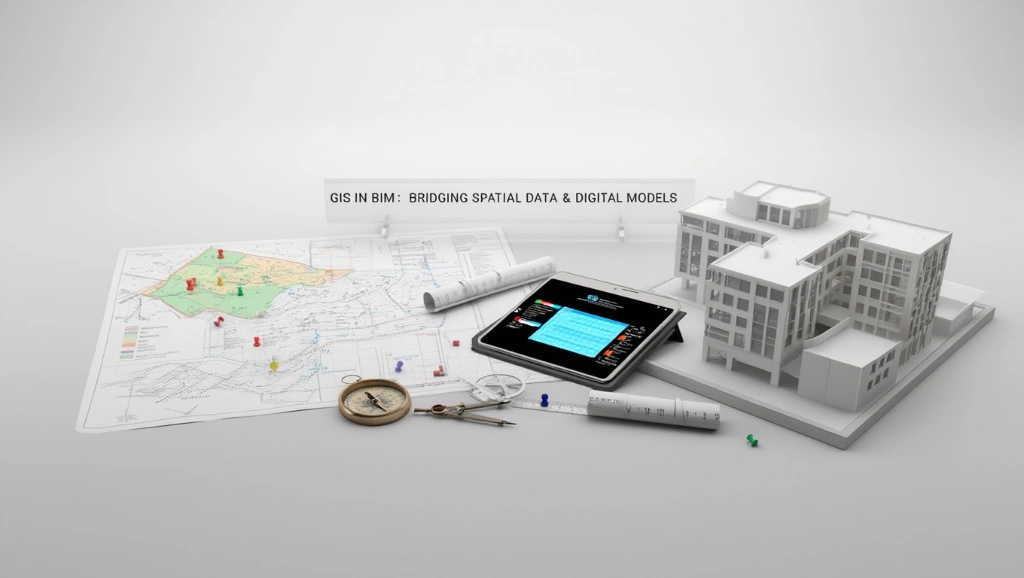
Open Standards & Enhanced Interoperability
The market is also moving toward open data exchange. OpenBIM and OpenGIS are getting closer, eliminating closed systems that affect coordination. Continue reading for details!
● OpenBIM To OpenGIS
OpenBIM to OpenGIS is all about usable translation. Teams want models that move across systems without breaking the geometry or the metadata. That is what makes federated workflows more realistic for large projects.
● Semantic Data Integration
Semantic integration means the model understands what the data represents. This becomes useful for asset classes, land-use codes, and infrastructure relationships. This means, no need to spend time on relabeling anymore.
● Unified Data Environments
Unified data environments keep project documents, spatial layers, and model issues inside one governed system. That is where the geographic information system becomes part of the project record instead of a separate reference file. It also makes audit trails and handovers much cleaner.
AI & Automation
AI is starting to reduce the manual details in spatial and model workflows. Today, professionals are considering AI-assisted infrastructure delivery, and that trend is spreading fast across planning and design teams. Do you know how it benefits you? It removes repetitive analysis. Explore more below!
AI-Powered Optimization
AI can help compare site options, spot pattern mismatches, and recommend better layout choices. But it still needs structured GIS and BIM data to work from. In other words, the model has to be refined before the machine can be helpful.
Automated Spatial Analysis
Automated analysis speeds up slope checks, corridor screening, and buffer testing. That is useful when projects move fast, and the team does not have time to build every scenario by hand. The analysis still needs professional review, though, because bad inputs mostly lead to bad decisions.
Urban-Scale Simulation
Urban-scale simulation lets planners test massing, traffic, access, and environmental response across a much larger area than a BIM model usually covers alone. And that blend is becoming more important as cities demand denser and more data-driven planning.
Advanced Visualization & Spatial Intelligence
Visualization is getting sharper, but the real gain is spatial intelligence. Teams now need a model that explains why a site behaves the way it does. That is where 3D GIS scenes and context-rich models are gaining attention. See how its features benefit the construction sector.
● 3D GIS Scenes
3D scenes help stakeholders read the project in context. They can see elevation, surrounding buildings, access routes, and land constraints more efficiently. That shortens review cycles.
● Contextual Data Modeling
Contextual data modeling keeps zoning, imagery, terrain, and asset data tied to the BIM object. That gives planners a better shot at choosing the right site strategy before the design is done. It also helps projects explain themselves to non-technical reviewers.
● Geospatial Data Governance
Governance matters because spatial data decays fast. Parcels change, roads shift, utility records age, and survey conditions get updated. A geographic information system only stays valuable when teams control versions, sources, and change history with discipline.
Conclusion
After reading this blog, we have understood that BIM gives the asset and GIS gives the place. When both work together, site planning gets faster, cleaner, and less exposed to expensive surprises. And their integration has become more essential for all due to current market trends.
So, GIS and BIM should be placed side by side for all site plans. If your team needs more thoughtful coordination, stronger site logic, and fewer field corrections, BIM Modeling is the right choice. The team integrates BIM and GIS correctly to provide civil engineers, urban planners, construction managers, architects, and project developers with the buildable plans.
FAQs
What industries can benefit most from BIM GIS integration?
Infrastructure, transportation, land development, utilities, education campuses, industrial facilities, and public sectors are all included.
What are the 4 components of GIS?
Most teams use hardware, software, data, and people as the core framework. Some guides also add methods as an operational 5th element. Note that a geographic information system fails if any one of these parts is weak.
Is ArcGIS a BIM software?
No. ArcGIS is a GIS platform, not a BIM authoring tool. However, it connects directly with BIM workflows through products like GeoBIM and Autodesk integrations.
Is GIS replaceable by AI?
No. AI can automate analysis, pattern detection, and optimization, but it still needs accurate spatial data, coordinate control, and human governance. The geographic information system remains the structure that organizes the location data AI depends on. Simply put, AI can assist GIS, but can’t replace it.
