
Fusion 360 was launched in 2013. At that time, it was only used by startups and new designers. But, in the last few years, a dramatic change has occurred in the Fusion 360 marketplace, and now it is used for the most complicated product lifecycles. Whether it’s CAD, CAM, PCB design, or rendering, it is an integrated solution for all. It is helpful for the product manufacturers to bring products with more accuracy and efficiency. From the initial design phase to the final development stages, it helps businesses throughout the product lifecycle. Its cloud-based features and automation help address the unique demands of the manufacturing industry.
Let’s explore in detail how this tool is helping the manufacturing industry with its unique features.
Get to Know About Fusion 360 in Detail
It is a professional software for CAD, CAM, and CAE developed by Autodesk. It is trusted by product manufacturers, engineers, and businesses to create detailed 3D models and prototypes. It empowers businesses, engineers, and manufacturers to grow and adapt as per their needs. It is widely used in various industries.
Core Features of Fusion 360
Integrated Modeling
Fusion 360 supports integrated modeling. It means from the initial design development to the final rendering, designers can work on the same software without exporting files to any other platform. Whether it’s CAD, CAM, or rendering, it is a one-stop solution for all designs.
Smart Modeling
This is the most important feature of Fusion 360. Smart modeling automates the changes among all models. Once a change is made in any component, it is automated in all systems for all team members. This feature is very helpful for smooth communication.
Cloud-Based Data
Cloud sharing of data is another important feature of this software. It makes it accessible for everyone, and all team members can work on the same design with automate change process. This real-time collaboration reduces errors and boost the productivity.
AI-Powered Design
The AI features are very helpful to create a variety of designs from the same command. The user just has to give a command/input to the software, and the AI-powered tools of the software create generative designs in different ways. All these designs are useful in real-world scenarios. This is helpful for the manufacturers to choose the easiest design and proceed with it without creating prototypes for every design.
3D Priniting Format
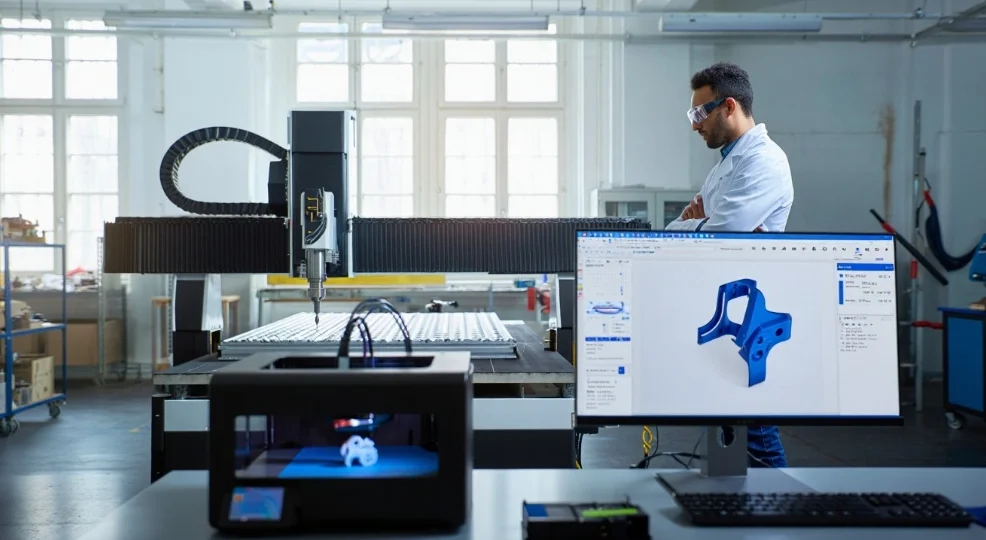
Fusion 360 supports files that can be easily converted into 3D printing formats.
Deep Analysis for Real World Conditions
This software also simulates and performs a deep analysis of designs for heat and fluid dynamics. It thoroughly analyzes the structural dynamics of the prototype and ensures that they are safe and secure and can meet the real-world conditions. This analysis is very helpful to understand the possible errors and enable the manufacturing team members to solve them at the earliest design stages.
Support CAM And CNC Tools
It integrates CAM tools and also creates toolpaths for CNC tools, thereby support manufacturing process from initial design to final finishing cycle.
Are you a construction contractor, architecture or an engineer? No worries! We have also compiled a list of the 15 best BIM software tools you need to know in 2026. Click and explore.
Benefits of Using Fusion AutoDesk 360 Benefits
Through creative automation, seamless communication, and simple data access, Fusion 360 is enabling engineers, designers, manufacturers, companies, and small entrepreneurs. From the first stages of design ideation until the final stages of manufacture, it supports the product manufacturing cycle with accurate analysis. Let’s explore a few of Fusion 360’s key advantages.
Smooth Communication
Cloud-based sharing for Fusion 360 also enhances the communication between team members. From engineers to manufacturers, all team members can communicate with one another and suggest their changes with their names. This also enhances the sense of accountability for any suggestion and change.
Easy Data Management
As the data is shared on cloud-based platforms, it is very easy to handle the data. You can give editing access to the desired person and can lock the access to others.
Competitive Extensions
In Fusion 360, competitive built-in dimensions are available, which support form machining to the final design. These extensions for every area allow your business to grow and expand, and help users to adapt to the required changes for any business.
End-to-End Solutions
This is a one-solution platform for all of the design stages. From CAD to CAM, BIM, and final prototyping, it supports all design formats, and all team members can work on the same software without any need to transfer the data.
Save Time
Fusion 360 gives access for API, which is a supportive tool for customization. When various systems and programmes share data through API, then automation and changes are updated in all systems and files, and users do not need to change the component in every system. It means, repetition of work is prevented, and the automation process save the time.
Fusion AutoDesk 360 Community Support
The Fusion 360 community is very vibrant and active. Users can communicate with one another and can ask questions. This helps get reliable answers from expert users who have been working on this software for years. Besides this, many educational versions are also available for newbies to learn about this software.
How to Use Fusion 360? A Step-by-Step Guidance
If you want to become a pro for Fusion 360, first you need to understand the basics, it’s features, and benefits, which we have described earlier. It will help you to understand it in a better way.
Train YourSelf
First of all, you need to know the basic skills to train yourself for Fusion 360 usage. Many training organizations offer training for this. Moreover, you can also learn it from YouTube videos. Many free learning videos are available. However, to become a pro, you must get training certification from a well-known organization.
Learn 2D Foundation And 3D Transformations
The fundamental basis for using Fusion 360 is 2D drawing. Thus, mastering 2D drawing and turning it into 3D modeling by sweeping and rotating is crucial. To keep the relationships between the various components of your models consistent, learn to apply precise restrictions and parameters.
Learn Advanced Features
The next step is learning advanced features such as creating assemblies and constraining components. Learn to use the generative design tools so that you can get varying design ideas and choose the best one as per your project scope. Learn to run simulations and analyses so that you can ensure that your designs follow regulatory compliance and are secure. Besides this, learning CAM tools to generate tool paths for CNC machining is also an advanced feature. Learning all these advanced features will help you to use Fusion 360 in a better way for the whole project lifecycle, from prototyping to manufacturing.
Learn 3D Printing Formats: Become A Pro
The next step is learning to optimize your designs for 3D formatting. When you learn to convert your designs into printable formats, you can communicate with your clients easily and convey your designs in a better way. It is also essential to understand rendering and visualization features, which are helpful for creating enhanced and clearer images for your designs to describe intricate details.
Keep Yourself Updated With the New Version
Fusion 360’s team is always adding new features to the program. If you also want to get in touch with the new updates, you can find them in various tutorials, webinars, and documentation on different platforms that provide the most recent details on these features.
If you belong to the AEC industry, then you must read our blog “ Revit 2026 New Features: What’s New and How It Impacts You.”
Ready to Leverage Fusion 360 for Smarter Design & Manufacturing? Call Our Experts Today!
Contact UsThe Role of Fusion 360 for Designing And Manufacturing Industry
Fusion 360 is transforming the manufacturing industry. It supports deep analysis, simulation, generative ideas, and AI automation. All these features reduce mistakes, enhance productivity, and reduce the cost of manufacturing while having accurate prototyping designs.
It also has a cloud-based sharing facility, which helps in clear communication, and manufacturers may increase productivity and manage their resources by integrating automation and smart technologies.
Frequently Asked Questions
Is it free to use Fusion 360?
You can, indeed. There are certain restrictions on the free version of this app.
Is there a free platform where I may learn Fusion 360?
Yes, there are a lot of free instructional and documented versions available.
Is free version offer a 3D printing feature?
Yes, the free version of Fusion 360 offers 3D printing.
How much does Fusion 360 cost?
It costs $680 annually.
